When I first discovered fancy text, I wasn’t thinking about Unicode, accessibility, or whether using it was safe.
I just wanted my name to look different.
You type something normal, choose a style, and suddenly your name looks completely different.
For example:
- Normal: Your Name
- Script: 𝒀𝒐𝒖𝒓 𝑵𝒂𝒎𝒆
- Double-struck: 𝕐𝕠𝕦𝕣 ℕ𝕒𝕞𝕖
Pretty cool, right?
But after experimenting with different styles, you might start wondering:
Is it actually safe to use these fancy Unicode characters on Instagram, Facebook, WhatsApp, or other social media platforms?
The short answer is yes. Unicode text is generally safe for normal social media use. Using decorative Unicode characters in a bio, caption, display name, or status doesn’t inherently damage your device or compromise your account.
However, not every fancy text style works properly everywhere.
Some characters may not display correctly. Certain text fields may reject them. Decorative letters can also create accessibility problems, and lookalike characters can be misused to impersonate people or brands.
So there’s nothing wrong with making your text look different.
You just need to understand a few things before using it.
First, What Is Unicode Text?
Unicode is a standard that allows computers, smartphones, apps, and websites to represent text using a large collection of characters.
It includes ordinary letters, numbers, punctuation marks, writing systems from different languages, symbols, and many other characters.
So Unicode isn’t something unusual or dangerous by itself.
In fact, you’re already using Unicode when you type ordinary text on modern digital platforms.
Fancy text generators simply use some of those characters in creative ways.
For example:
- Normal: Hello
- Bold: 𝐇𝐞𝐥𝐥𝐨
- Script: 𝓗𝓮𝓵𝓵𝓸
- Double-struck: ℍ𝕖𝕝𝕝𝕠
- Squared: 🅷🅴🅻🅻🅾
These look like different fonts.
But many online fancy text generators aren’t actually changing the font installed on your phone.
Instead, they replace ordinary characters with different Unicode characters that have a decorative appearance.
The Unicode Standard defines these characters, while fonts and text-rendering software determine how they appear on your screen.
That’s why two devices can sometimes display the same Unicode text differently.
Can Unicode Text Damage Your Phone or Social Media Account?
This is probably the first thing people want to know when they hear the word “safe.”
Ordinary Unicode characters aren’t inherently harmful to your device.
Copying a decorative name or caption doesn’t install software, change your phone’s settings, or give someone access to your account.
For example, copying: 𝑴𝒚 𝑵𝒂𝒎𝒆
and pasting it into an allowed text field is just a way of entering characters.
That action alone doesn’t mean you’ve downloaded anything dangerous.
However, it’s important to separate ordinary Unicode text from the apps, websites, and files you might use to generate or share it.
An unfamiliar website may have its own security or privacy risks. A suspicious download or browser extension is a different matter from simply copying Unicode characters.
Also, software can occasionally contain bugs in how it handles unusual text sequences. That’s a software problem, not evidence that ordinary fancy Unicode text is inherently malicious.
For everyday social media styling, the bigger concerns are usually compatibility, readability, accessibility, and platform rules.
Can Fancy Unicode Text Get Your Social Media Account Banned?
Using decorative Unicode characters doesn’t automatically mean your social media account will be banned.
But social media platforms have rules about usernames, profile names, impersonation, spam, and misleading behaviour.
And those rules can differ depending on the platform and the field you’re editing.
For example, an Instagram bio and an Instagram username don’t have identical character requirements.
You might be able to paste decorative Unicode letters into a bio while the username field rejects them.
That doesn’t necessarily mean your account is in trouble.
It may simply mean the particular field doesn’t allow those characters.
The more serious concerns arise when text is used in ways that violate platform rules, such as impersonating someone, misleading users, or participating in spam.
So if you’re using fancy text to make your personal profile look different, there’s generally no reason to assume the styling alone will cause an account restriction.
Just follow the rules of the platform you’re using.
5 Things to Be Careful About When Using Unicode Text on Social Media
Unicode itself isn’t the problem.
The way certain characters are displayed or used can create difficulties.
Here are five things worth knowing.
1. Some Fancy Characters May Not Display Correctly
You find a really interesting style.
It looks perfect inside the generator.
You copy it into your bio.
And suddenly, one of the letters looks strange.
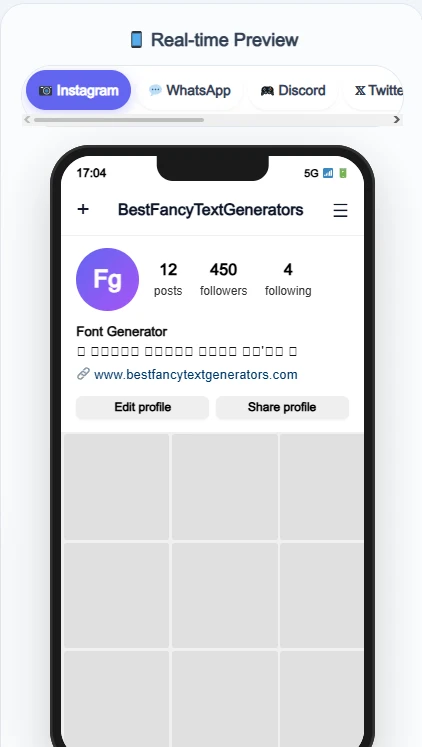
Or you see something like: □□□□
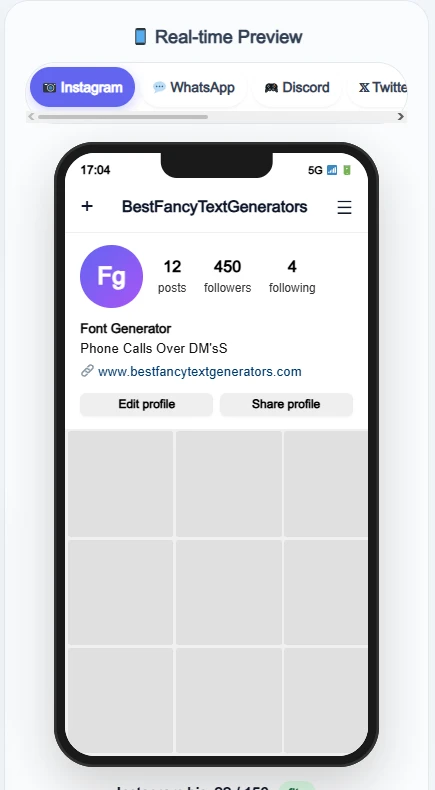
This can happen when your device or application doesn’t have a suitable font glyph to display a particular Unicode character.
The character may still exist in the copied text, but the device cannot draw it properly.
Sometimes the same style looks fine on one phone and different on another.
This is a compatibility issue rather than a sign that the characters are dangerous.
What should you do?
Try another Unicode style or check the same text on another device.
For important profile information, choose characters that display clearly in your intended app.
2. Fancy Unicode Text Can Be Difficult for Screen Readers
This is something people don’t always consider.
Not everyone reads social media content in the same way.
Some people use screen readers, which convert on-screen content into spoken information.
Decorative Unicode letters can sometimes be announced differently from ordinary letters.
For example, certain mathematical-style characters may be read by their individual character names instead of being pronounced like a normal word.
The exact result depends on the screen reader, software, and settings.
That means a short fancy username might sound very different to someone using assistive technology.
And if an entire paragraph is written using decorative characters, it can become unnecessarily difficult to understand.
So here’s a practical rule:
Use fancy Unicode text for short decorative elements, but keep important information in ordinary readable text.
This is especially useful for contact details, instructions, important announcements, and business information.
You can learn more about making digital content accessible through the W3C Web Content Accessibility Guidelines.
These guidelines don’t simply ban decorative Unicode characters. They explain broader accessibility principles that help make content understandable and usable.
3. Some Unicode Characters Can Be Used to Impersonate People
Here’s something interesting.
Two characters can look almost identical while technically being different Unicode characters.
For example:
A — Latin capital letter A
А — Cyrillic capital letter A
They look extremely similar in many fonts.
But they’re not the same character.
This becomes important when people create usernames, links, or profile names that look like another person’s or brand’s identity.
A deceptive account might use lookalike characters to make its name appear almost identical to a legitimate account.
These are sometimes called Unicode confusables or lookalike characters.
That’s why you shouldn’t assume two names are identical just because they look the same on your screen.
If you’re checking whether an account is legitimate, verify its actual profile details rather than trusting the appearance of the name alone.
And if you’re creating your own fancy username, avoid deliberately making it look like an account you don’t own.
4. Fancy Text Can Be Harder to Search or Recognise
Imagine someone sees your fancy profile name and wants to find you again.
Your name looks something like: 𝓗𝓮𝓵𝓵𝓸 𝓦𝓸𝓻𝓵𝓭
But they search using ordinary letters: Hello World
Depending on the platform’s search system, decorative Unicode characters might not always be treated as equivalent to their ordinary-letter counterparts.
Some systems normalise or recognise these relationships.
Others may handle them differently.
So using decorative characters in important names can sometimes make searching, matching, copying, or recognition less convenient.
This is especially worth considering for businesses, creators, and anyone who wants people to find their profile easily.
A practical option is to keep your main identifying information readable and use decorative text selectively in places like bios or short headings.
5. Some Apps Don’t Allow Every Unicode Character
Just because a fancy text generator produces a style doesn’t mean every platform will accept it.
For example, different social media services may have restrictions on characters used in usernames or other profile fields.
Some characters may work in a caption but not in an account handle.
Others may display correctly but be rejected when you try saving your changes.
This doesn’t mean the generator created unsafe text.
It means the destination platform has its own rules.
What should you do?
Check whether the field accepts the characters you’re trying to use.
If it doesn’t, choose another style or use ordinary text.
Don’t try to bypass platform restrictions using deceptive character substitutions.
Where Can You Use Fancy Unicode Text?
There are plenty of places where Unicode styling can add personality.
The important part is choosing the right style for the right context.
| Platform or use | What to keep in mind |
|---|---|
| Instagram bio | Short decorative phrases may work, but keep important details readable |
| Instagram username | Character restrictions apply; decorative Unicode letters may be rejected |
| Facebook posts | Check readability and how the text appears after publishing |
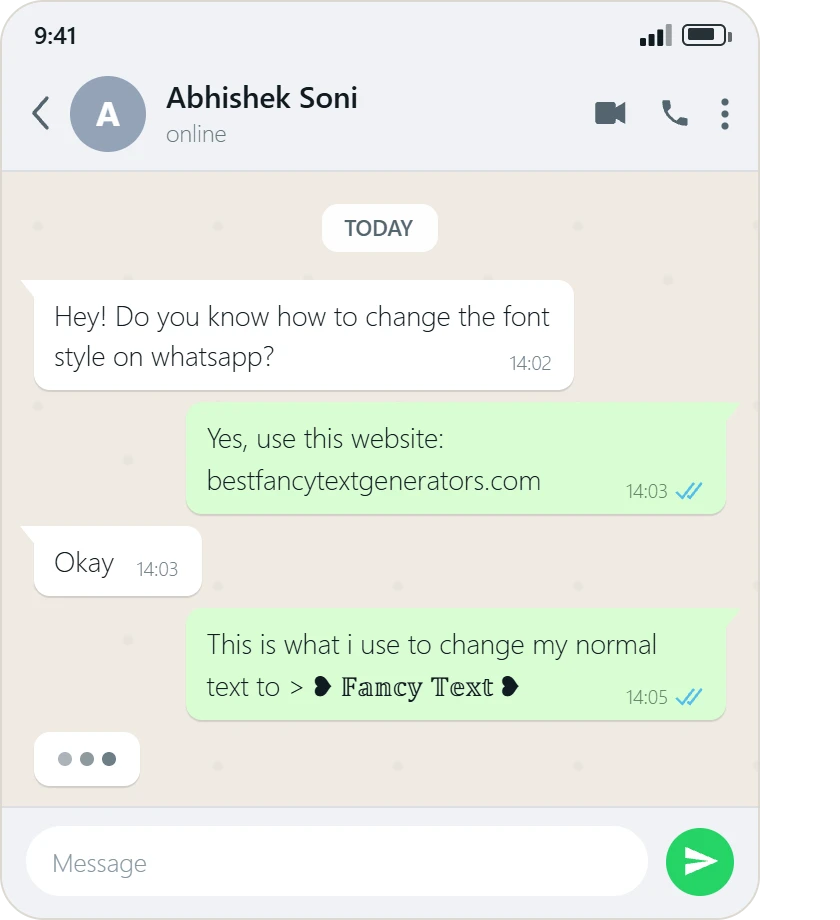
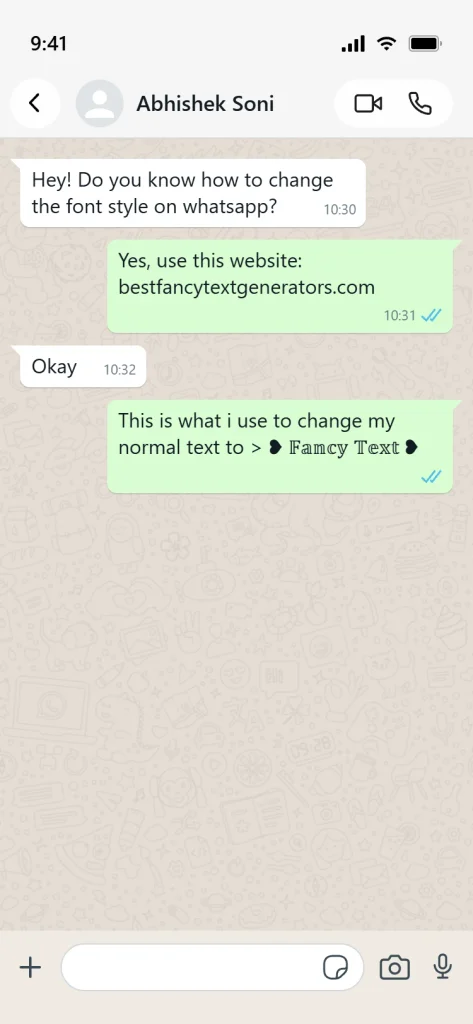
| WhatsApp status | Test decorative text before sharing it |
| Gaming usernames | Follow the game’s supported-character rules |
| Discord display name | Check the field’s current character restrictions |
| YouTube channel name | Prioritise readability and recognisability |
| Business profiles | Keep official names and contact information clear |
None of these platforms guarantees that every decorative Unicode character will display identically.
So always check the actual pasted result.
Does Unicode Text Affect Your Privacy?
Unicode characters themselves don’t automatically collect personal information.
Typing or copying a decorative letter doesn’t inherently give a website access to your account.
But there’s an important distinction between Unicode text and the website you use to generate it.
An online fancy text generator may process input in your browser or send it to a server, depending on how it’s built.
It may also use analytics, cookies, or third-party services.
Those are website privacy considerations, not dangers caused by Unicode characters themselves.
If you’re using a text generator, avoid entering passwords, financial information, confidential documents, or other sensitive details.
For normal styling tasks, use the ordinary name, caption, or phrase you actually want to decorate.
And if privacy matters to you, review the website’s privacy disclosures before using it.
How to Use Fancy Unicode Text Safely?
You don’t need to understand every technical detail of Unicode to use decorative text responsibly.
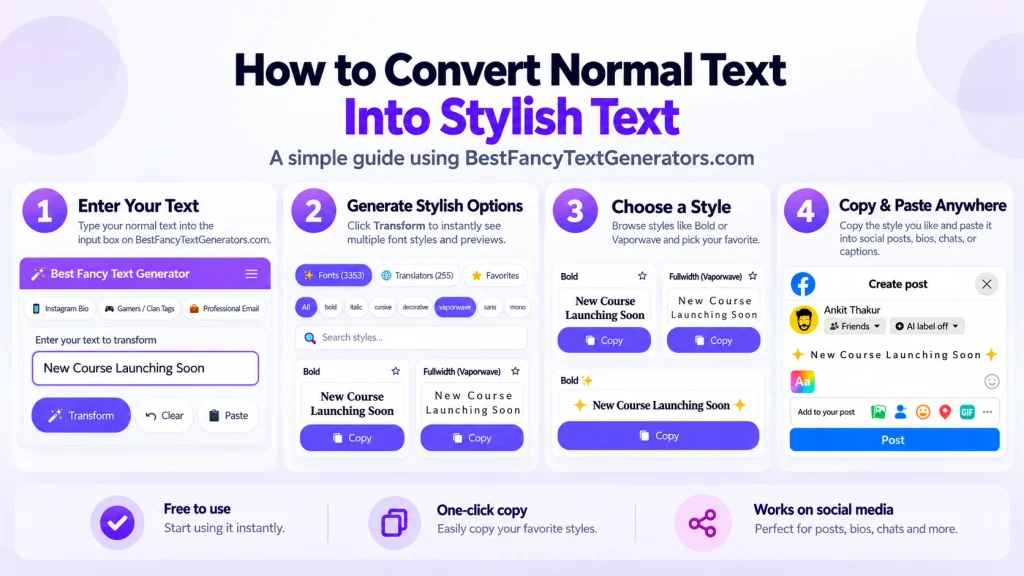
Here’s a simple process.
Step 1: Generate Your Text

Open a Fancy Text Generator and enter the exact words you want to style.
For example:
My Cool Name
Use a harmless phrase rather than private information.
Step 2: Compare a Few Styles

Look at several options before choosing one.
For example:
- Normal: My Name
- Bold: 𝐌𝐲 𝐍𝐚𝐦𝐞
- Script: 𝓜𝔂 𝓝𝓪𝓶𝓮
- Double-struck: 𝕄𝕪 ℕ𝕒𝕞𝕖
Choose something that looks good without becoming difficult to read.
Step 3: Preview Your Actual Text

Check how your full name, caption, or sentence appears.
A style that looks great with a sample word may look different with your actual text.
Real-time previews can help you notice unusual characters before copying.
However, the generator preview can’t guarantee how another app will display the same characters.
Step 4: Copy and Paste Into Your Intended Platform
Paste the text into your Instagram bio, WhatsApp status, gaming name, or another permitted field.
Check whether the app accepts the characters.
Then look closely at the displayed result.
Step 5: Check Readability and Accessibility
Ask yourself:
- Can I read the text easily?
- Are any characters missing?
- Does the style make the message confusing?
- Am I using decorative characters in important information?
- Could the text be mistaken for another person’s or brand’s identity?
If the style creates problems, try a simpler option.
Step 6: Keep Important Information Clear
For personal decoration, you can experiment with different styles.
But for prices, official announcements, contact details, important instructions, and business information, ordinary readable text is usually more reliable.
Fancy text should add personality.
It shouldn’t make your message harder to understand.
What We Learned While Building BestFancyTextGenerators.com
This topic actually connects to something we experienced while building our own fancy text generator.
The project started with a simple idea:
“I want my name to look different.”
We searched online and discovered plenty of fancy text generators.
But after exploring several websites, we noticed that many offered very similar styles.
So we started researching existing collections and looking for Unicode combinations that weren’t commonly available.
That’s when another problem appeared.
Not every fancy-looking character was actually useful.
Some styles didn’t render as expected, while others displayed differently depending on where they were used.
We started filtering out styles that didn’t work properly rather than adding every variation just to make the collection bigger.
Over time, the collection grew to 2,000+ fancy text styles.
But that created another challenge: helping people find something suitable without scrolling through thousands of options.
That’s why categories, search, and real-time previews became part of the experience.
And the biggest lesson was simple.
A style being different doesn’t automatically make it useful.
That’s especially relevant when you’re using fancy text for social media.
A style should look good, remain readable, and work in the place where you intend to use it.
We also know that filtering styles during development doesn’t guarantee universal compatibility with every device or social media platform.
That’s why testing the final result matters.
Frequently Asked Questions
Is Unicode Text Safe for Instagram?
Yes, ordinary Unicode text is generally safe to use in supported Instagram fields. Decorative characters may be restricted in some fields or display differently across devices. Follow Instagram’s rules and avoid misleading or impersonating other accounts.
Can Fancy Unicode Text Get My Account Banned?
Using decorative Unicode characters by itself doesn’t automatically lead to an account ban. However, accounts can face enforcement for behaviours that violate platform rules, such as impersonation, spam, or deception.
Can Unicode Text Contain Viruses?
Ordinary Unicode characters aren’t executable programs or viruses simply because they’re unusual.
However, malicious links, files, websites, or software can still present risks. Rare text-processing vulnerabilities are a separate software-security issue.
Why Do Some Unicode Characters Show Boxes?
This often happens when a device or app lacks the font glyph needed to display a particular character.
Try a different style or compare how the text appears on another device.
Can Unicode Text Be Used to Create Fake Accounts?
Visually similar Unicode characters can be misused to make usernames or account names resemble legitimate identities. That’s one reason platforms may restrict certain characters or impersonation-related behaviour.
Is Unicode Text Accessible to Screen Readers?
Ordinary Unicode text is widely used by accessibility tools, but decorative Unicode letters can sometimes be announced in unexpected ways.
For important information, ordinary text is generally a safer choice for accessibility.
Is Fancy Text Safe for Business Profiles?
It can be useful for short decorative elements, but businesses should prioritise clear names, contact information, accessibility, and recognisability.
Avoid using styling that confuses customers or hides important details.
Do I Need to Install a Font to Use Fancy Unicode Text?
Usually not. Many online fancy text generators produce Unicode characters that you can copy and paste directly.
However, the device or app displaying the text still needs suitable font support.
Final Thoughts
So, is Unicode text safe for social media?
Yes, for ordinary use, Unicode text is generally safe.
It doesn’t automatically harm your phone or put your account at risk just because the characters look different.
But that doesn’t mean every decorative style is suitable for every situation.
Some characters may not display correctly.
Some platforms may restrict them.
Some styles can be difficult for screen readers.
And visually similar characters can be misused to deceive people.
The best approach is simple.
Choose a style you like.
Check how it looks.
Make sure it remains readable.
And use it responsibly.
When we started building BestFancyTextGenerators.com, the whole idea was to help people make their text look a little different.
That goal hasn’t changed.
But one thing became clear along the way:
The best fancy text isn’t just the one that looks different. It’s the one that looks good, works properly, and makes sense for the person using it.
Relate Articles:
- Can Fancy Text Break Platform Guidelines?
- Why Unicode Fonts Are Not Supported Everywhere
- How to Make Fancy Text Compatible Across Devices
- Is It Safe to Use Fancy Text Generators?

Ankit Thakur is an SEO Specialist and WordPress Developer with 4+ years of experience. He has generated ₹60L+ in revenue through SEO, built 50+ websites, and helped businesses generate measurable leads through organic search and local SEO.