Ever found a really cool font for your Instagram bio or gaming username and thought, “Wait, is this even safe to use?”
I mean, all you wanted was to make your name look a little different. Not accidentally download something weird onto your phone.
And if you’ve searched for a fancy text generator, you probably already know how many websites are out there.
You type your name, get a bunch of fancy styles, copy your favourite one, and paste it wherever you want.
Sounds simple, right?
But that doesn’t automatically mean every website offering these styles is safe.
So, are fancy text generators safe?
Generally, yes. Using a legitimate fancy text generator to create usernames, Instagram bios, captions, or decorative text is usually safe. Most of these tools work with Unicode characters, so you don’t need to install actual fonts or download anything just to copy styled text.
But here’s the thing.
The fancy text itself and the website generating it are two different things.
The text may be harmless, but that doesn’t tell you whether a website collects your information, shows misleading download buttons, or asks for permissions it doesn’t need.
And after spending a lot of time researching fancy text generators and eventually building one ourselves, we realised there were a few things worth understanding before using these tools.
What Does a Fancy Text Generator Actually Do?
Let’s say your name is Alex.
Normally, you’d write:
Alex
But maybe you want something more interesting for your Instagram bio or gaming profile.
A fancy text generator can give you styles like:
- 𝓐𝓵𝓮𝔁
- 𝔄𝔩𝔢𝔵
- Alex
- 𝘼𝙡𝙚𝙭
- Ⓐⓛⓔⓧ
Same name. Different look.
Pretty cool.
But these aren’t usually new fonts being installed on your phone.
Most fancy text generators replace ordinary letters with different Unicode characters, sometimes combining them with decorative symbols.
Unicode is a standard that helps computers and devices represent text from different languages, symbols, and writing systems.
That’s why you can often copy styled characters from a website and paste them into another app.
You can learn more about Unicode through the official Unicode Consortium website.
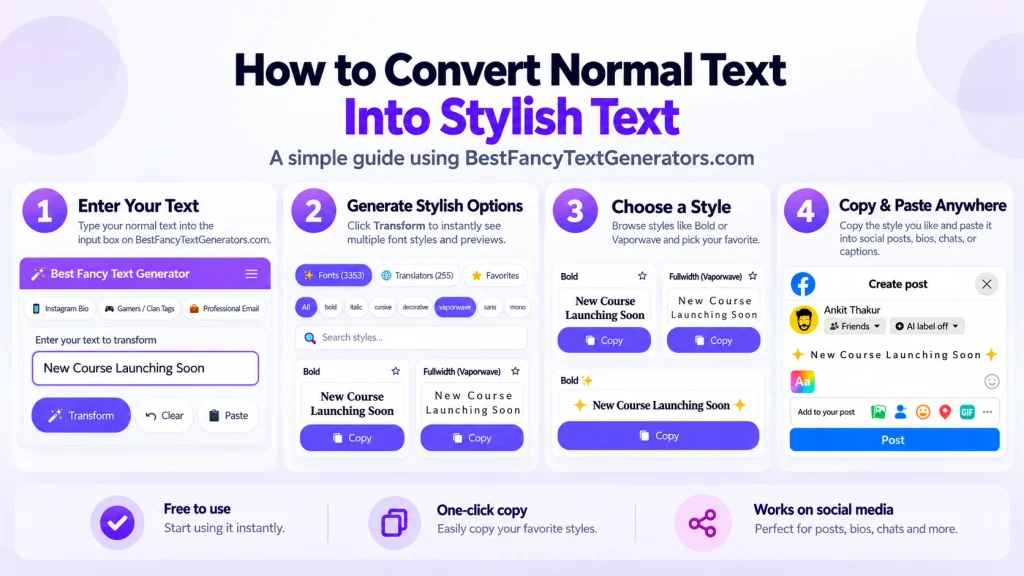
And the basic process is super simple:
Type your text → Choose a style → Copy → Paste
You don’t normally need to create an account or install special software for this.
Can Fancy Text Generators Steal Your Personal Information?
This is probably one of the most important questions.
Let’s imagine you’re using a website to generate a fancy username.
You type:
CoolGamer123
Nothing particularly private there.
But what if you type your email password, home address, or some personal information?
That’s where you need to be more careful.
A fancy text generator doesn’t need your password, banking details, or confidential information to turn normal text into fancy characters.
And although some tools process the text directly in your browser, you can’t assume every website works that way.
Depending on how a website is built, it might send your input to a server or use analytics and other third-party services.
So before trusting an unfamiliar generator, here’s what I’d check.
1. Does the website have a privacy policy?
A privacy policy should explain what information the website collects and how it uses that information.
That doesn’t automatically prove the website is trustworthy, but it’s a good place to start.
If you’re worried about what happens to the text you enter, look for information about whether your input is transmitted, stored, or shared.
2. Is the website asking for personal details?
Imagine visiting a generator to make your Instagram name look cool, and suddenly it asks you to sign in using your Instagram password.
Why would it need that?
For a basic copy-and-paste text generator, it normally wouldn’t.
I’d rather leave the website and use something else.
3. Is the connection secure?
Look for HTTPS in the website address.
HTTPS helps protect information while it’s travelling between your browser and the website.
But remember, HTTPS doesn’t mean a website is automatically safe or honest.
Even suspicious websites can use HTTPS.
It’s one thing to check, not proof that everything is fine.
Can a Fancy Text Generator Give Your Phone or Computer a Virus?
Here’s the good news.
Copying ordinary fancy Unicode text isn’t the same as downloading a program or installing software.
If you’re simply copying characters like 𝓗𝓮𝓵𝓵𝓸 and pasting them into your Instagram bio, that action normally doesn’t install anything on your device.
The bigger security concerns are usually related to the website or software you’re interacting with.
For example, imagine visiting a fancy text generator and seeing a huge button saying:
“Download Fancy Fonts Now!”
But you only wanted to copy your username.
Why do you suddenly need an app?
Some websites use misleading buttons, unexpected redirects, or downloads that have nothing to do with what you originally wanted.
That doesn’t mean every download is dangerous.
It just means you should know what you’re downloading and where it’s coming from.
Also, visiting websites and rendering content can involve security risks if your browser or device has unpatched vulnerabilities. So keeping your software updated is a good idea.
For a simple username or bio, I personally prefer using a browser-based tool that lets me copy the result without installing anything.
It’s just less hassle.
Are Free Fancy Text Generators Safe?
Yes, free fancy text generators can be safe.
You don’t necessarily need to pay for a tool just to make your name look different.
But being free doesn’t automatically make a website trustworthy.
And being paid doesn’t guarantee safety either.
Instead of looking only at the price, pay attention to how the tool behaves.
For example:
- Can you generate and copy text without creating an account?
- Does the website explain its privacy practices?
- Are the download buttons and advertisements clearly distinguishable?
- Does it request unnecessary permissions?
- Does it let you complete the task without asking for sensitive information?
If a website starts making a simple task unnecessarily complicated, I’d probably try another one.
Why Some Fancy Text Styles Don’t Work Everywhere
Okay, this is something we learned while building our own fancy text generator.
And it’s actually a big reason why our tool exists.
The original idea was pretty simple.
We wanted a way to make our names look different online.
You know how sometimes you see someone with a really cool Instagram bio or gaming username and immediately wonder how they made it?
That was basically where the curiosity started.
So we searched Google for fancy text generators.
There were plenty of results.
But after opening different websites, we kept noticing the same thing.
Similar designs.
Similar styles.
And sometimes almost the same collection of characters.
We wanted something different.
So instead of just making another website with the same styles, we started researching more Unicode characters and variations.
But that’s when another problem came up.
Not every character that looks cool inside a generator works perfectly everywhere else.
Some characters can look different depending on the device, app, and font support.
Some may not appear at all.
And certain combinations can be difficult to read or copy correctly.
Here’s a simple example
Imagine you generate three versions of the word Hello.
| Type | Text |
|---|---|
| Normal text | Hello |
| Fancy Unicode text | 𝓗𝓮𝓵𝓵𝓸 |
| Decorated Unicode text | H̶e̶l̶l̶o̶ |
They might all appear fine on your current device.
But another device or application might not support the same characters or combining marks in exactly the same way.
The result can look different from what you expected.
This isn’t necessarily a security issue.
It’s usually a compatibility or rendering issue.
While developing Best Fancy Text Generators, we researched different styles and filtered out options that didn’t render properly or weren’t useful.
That became an important part of how we approached the collection.
Because having thousands of styles sounds great.
But what’s the point if people can’t actually use them?
Why We Built a Collection of 2,000+ Styles
At first, we thought the biggest problem was that there weren’t enough interesting styles available.
So we kept researching, comparing, and expanding the collection.
Eventually, it grew to more than 2,000 fancy text styles.
Which sounded great.
Until we realised something.
Imagine opening a website just to find one cute font for your Instagram bio, and suddenly there are thousands of options in front of you.
Are you seriously going to scroll through every single one?
Probably not.
That’s why we started organising styles into categories and adding features like search and real-time previews.
Someone looking for a gothic gaming name probably doesn’t want to scroll through hundreds of cute handwriting styles.
And someone looking for an aesthetic Instagram bio might want something completely different.
So the idea became less about showing people the biggest number possible and more about helping them find a style they actually like.
That’s still the experience we’re aiming for.
Type → Preview → Choose → Copy → Paste
Is It Safe to Copy and Paste Fancy Text on Instagram, WhatsApp, or Other Apps?
For everyday things like bios, captions, profile names, and messages, copying and pasting Unicode fancy text is generally safe.
But there’s one thing you should remember.
Just because a character looks good doesn’t mean every platform will display or accept it the same way.
Different apps have different rules, character limits, and levels of Unicode support.
Fancy text can be fun for Instagram bios, captions, and profile names.
But some styles can make your bio harder to read.
And stylised Unicode letters don’t always behave like ordinary letters when people try to search for your name or read it using assistive technology.
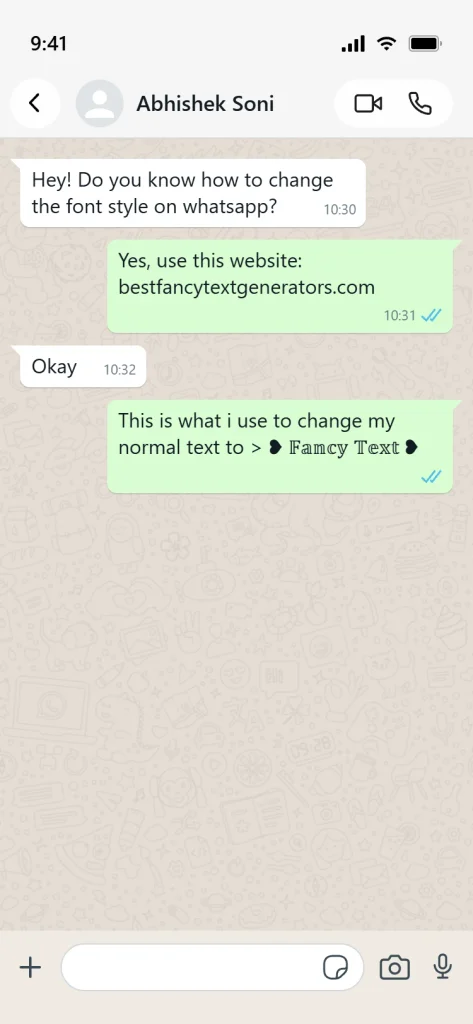
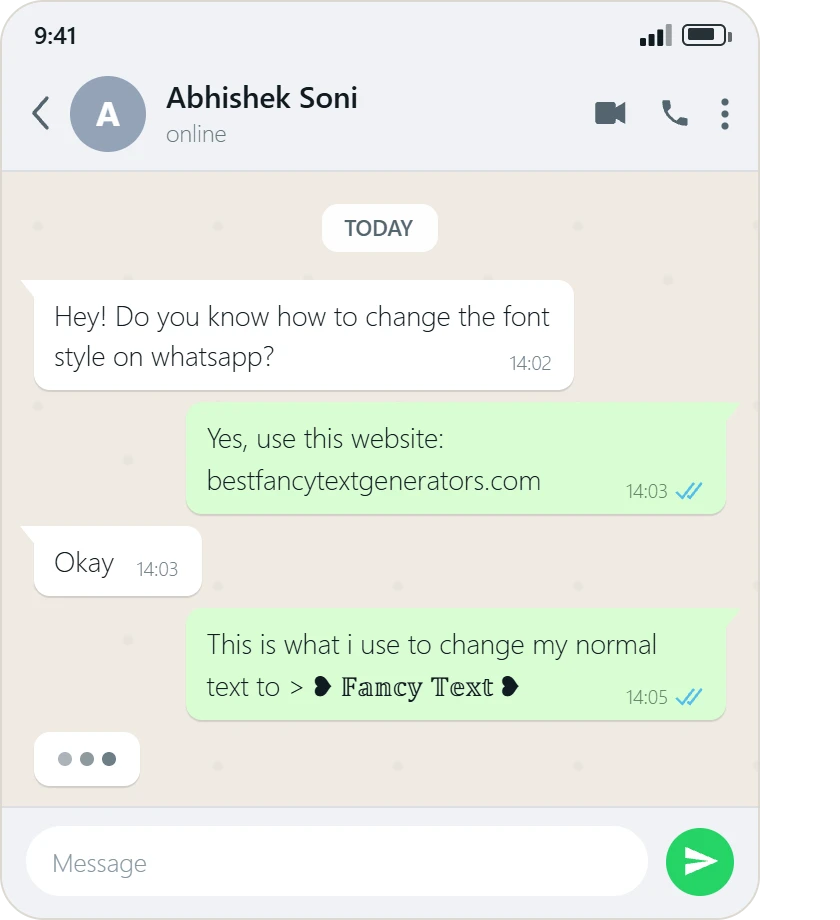
You can often paste fancy Unicode text into WhatsApp messages and statuses.
But another person’s phone may display certain characters differently.
So if you’re sending something important, normal text is usually the better choice.
Gaming usernames
Fancy names can look awesome in gaming profiles.
But some games have stricter username rules and may reject certain characters.
Even if a fancy style copies successfully, the game might not allow you to save it as your username.
Discord and other social platforms
Many platforms support a wide range of Unicode characters, but their rules and display behaviour can vary.
The safest way to know whether your chosen style works is to try it in the actual place where you want to use it.
And if something doesn’t display properly?
Just choose another style.
It doesn’t necessarily mean anything is wrong with your phone.
Are Fancy Text Generator Apps and Browser Extensions Safe?
Not every app or extension is dangerous.
Some are perfectly legitimate and useful.
But I think there’s a difference between needing an app and downloading one just because a website tells you to.
If you want a fancy keyboard that you use every day, an app might make sense.
But if you only want to create one Instagram bio?
A browser-based generator might already do everything you need.
Before installing an app or extension, check what permissions it wants.
For example, a keyboard app may require access to text input because that’s how keyboards function. That can also raise privacy concerns, especially when entering sensitive information.
A browser extension may request permission to read or modify information on websites.
Some permissions are necessary for legitimate features, but they should match what the software actually does.
If you’re unsure, look at the developer, review the permissions, and check whether you really need the software.
You can also find general online safety guidance from the FTC’s consumer advice website.
How to Tell If a Fancy Text Generator Is Safe to Use?
You don’t need to be a cybersecurity expert to spot some basic warning signs.
Here’s a quick check I would do before using an unfamiliar fancy text generator.
| What to check | Why it matters |
|---|---|
| HTTPS connection | Helps protect data during transmission |
| Privacy policy | Explains the site’s stated data-handling practices |
| Unnecessary login requests | A basic generator usually doesn’t need your account credentials |
| Unexpected downloads | May introduce unnecessary software or security risks |
| Suspicious redirects | Can take you to unrelated or potentially unsafe websites |
| Excessive permissions | May provide more access than the tool needs |
| Copy-and-paste functionality | Lets you complete a simple text task without installing software |
One important thing, though.
Even if a website passes these basic checks, that doesn’t guarantee it’s completely secure.
These are warning signs to look for, not a full security audit.
Should You Use Fancy Text Everywhere?
Not really.
I love how a normal name can look completely different with just a few Unicode characters.
That’s honestly part of what made us interested in fancy text generators in the first place.
But there are places where normal text is just better.
For example, imagine sending an important email to your teacher or applying for your first job.
Would you really want the entire email written like this?
𝓗𝓮𝓵𝓵𝓸, 𝓘 𝓪𝓶 𝔀𝓻𝓲𝓽𝓲𝓷𝓰 𝓽𝓸 𝓪𝓹𝓹𝓵𝔂…
It might look interesting.
But reading a whole paragraph like that?
Not so fun.
And for someone using a screen reader, heavily stylised Unicode text can be even more difficult to understand because some characters may be announced differently from ordinary letters.
That’s why I’d keep fancy text for things like usernames, bios, short captions, gaming profiles, and decorative messages.
For important information, long paragraphs, passwords, and anything where clarity matters, regular text is usually a better option.
Fancy text should add personality.
It shouldn’t make basic communication harder.
Frequently Asked Questions
Can someone hack my phone through fancy text?
Ordinary fancy Unicode text copied into a message or bio is not a hacking program. Copying it doesn’t normally install malware or give someone access to your device.
However, malicious websites, unsafe downloads, and software vulnerabilities can create separate security risks.
Do fancy text generators store what I type?
It depends on the website.
Some tools process input within the browser, while others may send information to a server.
You would need to check the particular website’s implementation and privacy practices to know how it handles your text.
Is Unicode fancy text dangerous?
Unicode characters themselves are not malware.
However, certain characters can be used in confusing or deceptive ways, such as making text look different from what it actually contains.
That’s another reason not to use unfamiliar stylised text in passwords, sensitive instructions, or situations where exact spelling matters.
Can I use fancy text without downloading fonts?
Yes. Most online fancy text generators use Unicode characters that you can copy and paste directly.
You generally don’t need to install font files for this.
Why does my fancy text show boxes or strange symbols?
Usually, it’s because the device, app, or font doesn’t support one or more of the characters you’re trying to display.
Try a simpler style or switch back to regular text.
Are fancy text generators safe for kids and teenagers?
A legitimate browser-based generator can be suitable for everyday creative use, but younger users should still avoid sharing personal information, downloading unfamiliar files, or entering passwords into unknown websites.
The same basic online safety habits apply.
Final Thoughts: Is It Safe to Use Fancy Text Generators?
So, back to the original question.
Yes, fancy text generators are generally safe to use for everyday creative text, provided you’re using a trustworthy tool and taking basic precautions.
The Unicode characters themselves usually aren’t the problem.
What matters more is the website or app you’re using, what information you enter, and whether you’re being asked to download or allow something unnecessary.
And there’s one more thing we learned while building our own generator.
We originally started because we wanted our names to look different online.
Then we found that so many generators offered similar styles.
Then we built a much bigger collection.
And eventually, we realised something even more important.
Having more fancy styles doesn’t matter much if people can’t find one they like or use it properly.
That’s why we focused on making styles easier to discover, preview, copy, and use.
Because at the end of the day, most people aren’t visiting a fancy text generator to learn how Unicode works.
They just want their name, bio, or username to look a little cooler.
And that shouldn’t require sharing private information, installing random software, or spending forever figuring out how a website works.
Type. Choose. Copy. Paste.
That’s how simple it should be.
Related Articles:
- Privacy Risks of Using Online Text Generators
- Do Fancy Text Generators Track Your Data?
- Is Unicode Text Safe for Social Media Platforms?
- How Fancy Text Generators Work?

Ankit Thakur is an SEO Specialist and WordPress Developer with 4+ years of experience. He has generated ₹60L+ in revenue through SEO, built 50+ websites, and helped businesses generate measurable leads through organic search and local SEO.