Have you ever looked at someone’s Instagram bio or gaming username and thought:
“Wait, how did they make their name look like that?”
Maybe their name looks something like:
𝓐𝓷𝓴𝓲𝓽
Or:
𝕬𝖓𝖐𝖎𝖙
Meanwhile, yours is just written in normal letters.
Not that there’s anything wrong with that.
But sometimes you want your name to look a little different.
The good thing is, you don’t need Photoshop, a special keyboard or a downloaded font to create stylish text.
You can use an online fancy text generator, type your words, choose a style and copy the result.
For example:
- Normal: Dream Big
- Stylish: 𝓓𝓻𝓮𝓪𝓶 𝓑𝓲𝓰
- Bold: 𝐃𝐫𝐞𝐚𝐦 𝐁𝐢𝐠
- Decorative: ★ Dream Big ★
That’s basically how it works.
So if you’re wondering how to generate stylish text online, here’s how to do it without making things complicated.
How to Generate Stylish Text by URL Or Input Tool?
Let’s use a simple example.
Say you want to make this sentence look different:
Build Your Online Presence
Here’s what I’d do.
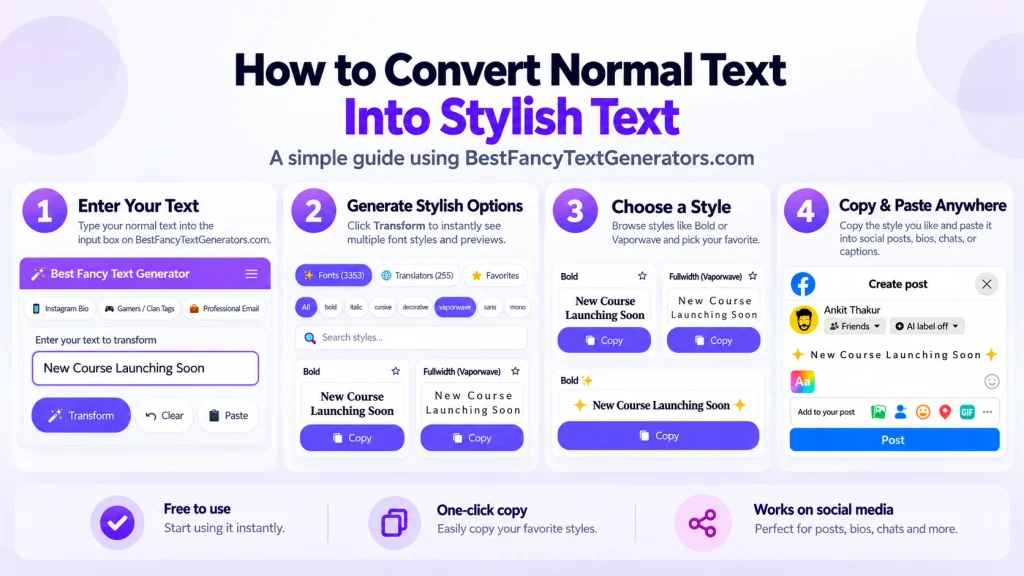
Step 1: Open a fancy text generator

Visit Best Fancy Text Generators.
You’ll find a text input area where you can enter the words you want to style.
You don’t need to design the letters yourself.
Just start with the text you already have.
Step 2: Enter your text
Type:
Build Your Online Presence
The generator can show different versions of your text using Unicode-based styles.
For example:
- 𝐁𝐮𝐢𝐥𝐝 𝐘𝐨𝐮𝐫 𝐎𝐧𝐥𝐢𝐧𝐞 𝐏𝐫𝐞𝐬𝐞𝐧𝐜𝐞
- 𝑩𝒖𝒊𝒍𝒅 𝒀𝒐𝒖𝒓 𝑶𝒏𝒍𝒊𝒏𝒆 𝑷𝒓𝒆𝒔𝒆𝒏𝒄𝒆
- 𝘽𝙪𝙞𝙡𝙙 𝙔𝙤𝙪𝙧 𝙊𝙣𝙡𝙞𝙣𝙚 𝙋𝙧𝙚𝙨𝙚𝙣𝙘𝙚
These are examples of how the phrase can appear using different Unicode characters.
Step 3: Explore the available styles
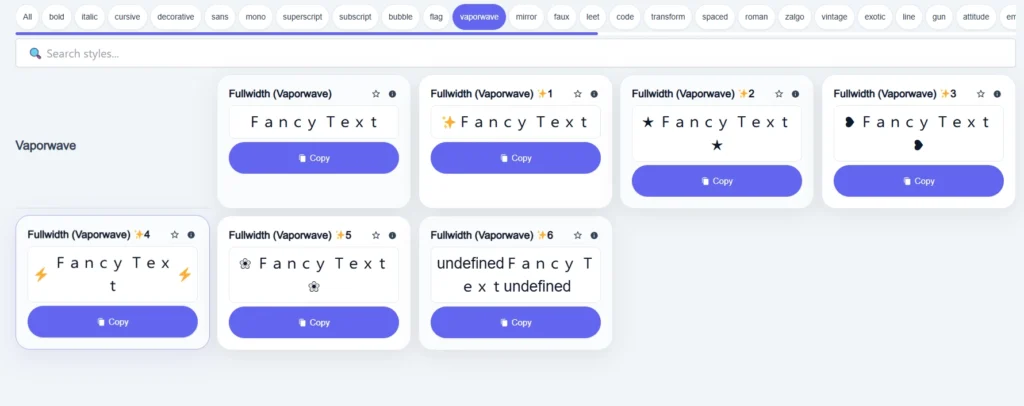
Now comes the fun part.
Maybe you want something bold.
Maybe you like cursive text.
Or maybe you want something completely different for your gaming username.
Look through the available styles and see which one fits.
If there are categories or search options, use them to narrow down your choices.
Personally, I wouldn’t choose the most complicated style just because it looks unusual.
Sometimes a simple bold or cursive version looks much better.
Step 4: Copy the text you like
Once you’ve found a style, use the copy option.
For example:
𝐁𝐮𝐢𝐥𝐝 𝐘𝐨𝐮𝐫 𝐎𝐧𝐥𝐢𝐧𝐞 𝐏𝐫𝐞𝐬𝐞𝐧𝐜𝐞
That’s the text you’re copying.
You’re not downloading an image or installing a new typeface.
Step 5: Paste it wherever you want
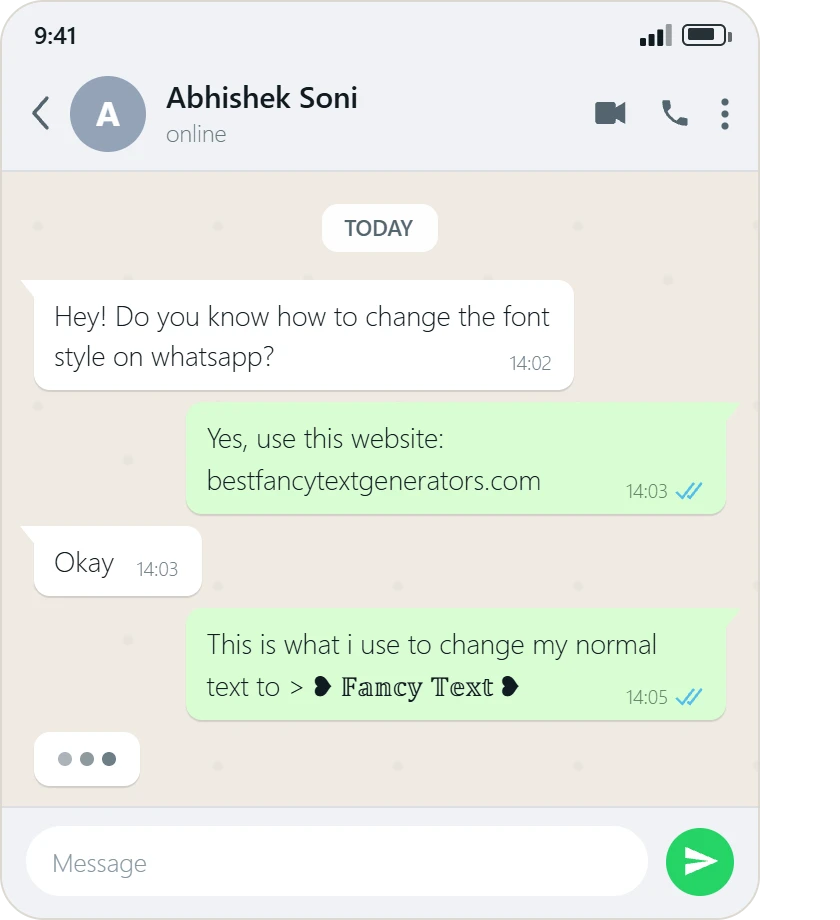
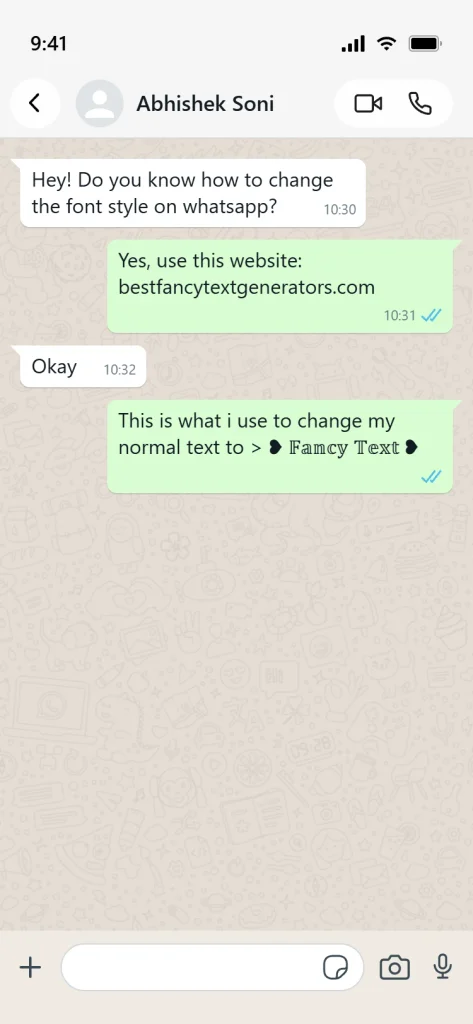
Open Instagram, WhatsApp, Discord, or another app that accepts the selected Unicode characters.
Paste your text into the appropriate field.
Before saving it, check how it looks.
Some apps have character restrictions, and certain styles can appear differently depending on your device.
If the result doesn’t look right, try another style.
That’s the whole process:
Type → Preview → Choose → Copy → Paste
Can You Generate Stylish Text Using a Website URL?
Yes, you can open a stylish text generator through its website address and use the input tool.
For example, open:
Then type your text into the generator.
But there’s an important difference between opening a generator through a URL and generating text automatically from a URL parameter.
They’re not necessarily the same feature.
Some web applications can accept information through URL parameters or shareable links.
However, the product information used for this guide doesn’t establish that Best Fancy Text Generators supports automatic text generation through a URL parameter.
So if you’re simply trying to make stylish text, the reliable workflow described here is:
Open the website → Enter text → Choose a style → Copy
You don’t need to create a special URL.
How to Generate Stylish Text on Android or iPhone?
You don’t need a computer for this.
Let’s say you’re using your phone and want to update your Instagram bio.
Open your browser and visit the generator.
Type your name or the sentence you want to style.
Choose one of the generated versions and tap the copy option.
Then open Instagram, go to the relevant profile-editing field and paste it.
For example:
Normal: Living My Story
Cursive: 𝓛𝓲𝓿𝓲𝓷𝓰 𝓜𝔂 𝓢𝓽𝓸𝓻𝔂
Bold: 𝐋𝐢𝐯𝐢𝐧𝐠 𝐌𝐲 𝐒𝐭𝐨𝐫𝐲
With symbols: ♡ Living My Story ♡
You can also add emojis using your phone’s normal emoji keyboard.
And that’s it.
You usually don’t need a separate app or font installation just to copy Unicode stylish text.
What Exactly Is Stylish Text?
Stylish text is text that looks different from ordinary writing.
But there are different ways to create that effect.
You can use:
- Different Unicode letter styles.
- Decorative symbols.
- Emojis.
- Combinations of characters and marks.
- Actual fonts in design software.
Most copy-and-paste fancy text generators focus on Unicode-based transformations.
For example, the regular letter:
A
can be represented using other Unicode characters that look like styled versions:
𝐀 𝑨 𝒜 𝔄
These characters don’t all have the same Unicode identity.
A generator can replace ordinary letters with visually similar alternatives.
That’s why the resulting text can often be copied and pasted without installing a new font file.
Is stylish text the same as installing a font?
Not necessarily.
When you install or apply a conventional font, the software uses that font to display ordinary characters in a particular visual style.
With Unicode fancy text, the characters themselves may be different.
For example:
Hello
and:
𝐇𝐞𝐥𝐥𝐨
may look similar, but they don’t use exactly the same Unicode characters.
This difference also explains why stylish text may behave differently in searches, accessibility tools and some applications.
You can learn more about Unicode from the Unicode Consortium.
How to Find the Right Stylish Text Without Scrolling Forever
Let’s say you want a gaming username.
You probably want something bold, dark or unusual.
But imagine opening a website with thousands of styles and having to scroll through every cute, handwritten and decorative option first.
That would get annoying pretty quickly.
This is where categories, search and previews become useful.
Use categories when you know the kind of style you want
For example, you might be looking for:
- Bold styles.
- Cursive text.
- Gothic-looking characters.
- Cute and aesthetic text.
- Gaming-inspired styles.
- Decorative text.
Categories can help you focus on the type of style you actually want.
Use search when you’re looking for something specific
If the generator provides a style-search feature, use it rather than browsing every available option.
Preview the style using your own words
A style might look amazing when shown using a short sample.
But what happens when you type your actual username or a longer sentence?
Previewing your own text makes that easier to judge.
Where Can You Use Stylish Text?
There are loads of places where people use stylish text.
But the best style depends on the platform and what you’re trying to do.
| Platform or use | Example | What to remember |
|---|---|---|
| Instagram bio | ♡ 𝓓𝓻𝓮𝓪𝓶 𝓑𝓲𝓰 ♡ | Keep important searchable text readable |
| Gaming username | ★ 𝕾𝖍𝖆𝖉𝖔𝖜 ★ | Some games restrict special characters |
| WhatsApp status | 💡 𝐒𝐭𝐚𝐲 𝐅𝐨𝐜𝐮𝐬𝐞𝐝 | Short styles are easier to read |
| Discord profile | ✦ 𝓙𝓾𝓼𝓽 𝓜𝓮 ✦ | Check which fields accept the characters |
| YouTube description | ★ New Video ★ | Avoid styling long paragraphs |
| Social media caption | 🚀 𝐁𝐢𝐠 𝐔𝐩𝐝𝐚𝐭𝐞 | Use decoration only where it helps |
For something casual, you can experiment.
But if you’re writing something important, ordinary text is usually easier for people to read.
Why We Started Building Our Own Fancy Text Generator
When I first got interested in fancy text, I wasn’t thinking about Unicode character codes or building a website.
I just wanted my name to look different online.
You know when someone has a really cool Instagram bio or gaming username, and suddenly your own name looks kind of boring?
That was basically the starting point.
So I searched Google for fancy text generators.
There were loads of websites.
But after opening several of them, I kept noticing something.
Many had similar designs.
And a lot of them offered the same popular styles.
Which felt strange.
If people use fancy text to make their names different, why were so many generators giving everyone almost the same choices?
That’s what got us interested in building Best Fancy Text Generators.
Instead of creating another website with the usual collection, we started researching existing Unicode styles and looking for variations that weren’t offered as often.
But finding more styles wasn’t the only challenge.
Some combinations looked cool but didn’t display properly in the situations we checked.
Others were difficult to read or not particularly useful when copied.
So we filtered those styles rather than keeping everything just to increase the number.
Eventually, the collection grew beyond 2,000 styles.
And then we discovered another problem.
Imagine opening a generator just to make your Instagram name look cute, only to find thousands of options with no easy way to choose.
Not exactly fun.
That’s why categories, search and previews became important parts of the product.
The goal wasn’t simply to give people more choices.
It was to help them find styles they actually liked.
And that experience taught us something.
More styles aren’t automatically better. Useful styles that are easy to find are better.
Why Some Stylish Text Doesn’t Work After You Copy It
Have you ever copied fancy text that looked perfect inside the generator but looked strange after pasting it?
That can happen.
And it doesn’t always mean you copied it incorrectly.
Some characters appear as empty boxes
This can happen when the device or app doesn’t have suitable font support for a particular Unicode character.
If that happens, try a simpler style.
Some games or websites reject special characters
A game might only allow certain letters, numbers or approved symbols in usernames.
So even if your generated text looks perfect, the game could reject it.
Some styles look different across devices
The same Unicode characters may be displayed differently depending on the fonts and rendering systems available on the device.
Stylish text can be difficult for screen readers
Some decorative Unicode characters may be announced differently from regular letters by assistive technology.
That’s another reason not to use fancy styles for long paragraphs or important instructions.
What If the Copy Button Doesn’t Work?
Okay, this one can be annoying.
You’ve found the perfect style.
You click Copy.
And nothing happens.
Before giving up, try a few simple things.
Try copying the text manually
If the text is selectable, highlight it and use your browser’s normal copy option.
On a computer, that might be Ctrl+C or Command+C.
On a phone, you can usually select the text and tap Copy.
Try another browser
Clipboard functionality can behave differently depending on the browser, its settings and the context in which the page is opened.
If copying doesn’t work, try opening the generator in a regular browser tab.
Check whether you copied the whole result
Sometimes you might select only part of the generated text.
Make sure the complete name or sentence is included.
Test it in a normal text field
Paste the result into a notes app or another basic text field.
If it appears there but not in your game or profile, the destination platform may be restricting those characters.
Can You Generate Stylish Numbers and Symbols Too?
Sometimes, yes.
Unicode includes various number characters and many symbols.
For example:
Normal numbers: 123
Styled numbers: 𝟏𝟐𝟑
Circled numbers: ①②③
But not every text style has a matching character for every number, letter or punctuation mark.
That’s why some generators may leave certain characters unchanged.
For example, you might find a style that changes most letters but keeps punctuation or numbers in their normal form.
That isn’t necessarily a bug.
There may simply not be an appropriate corresponding Unicode character for every part of the text.
Common Mistakes When Choosing Stylish Text
It’s easy to get carried away when you see hundreds of cool styles.
But a few things are worth remembering.
Choosing something nobody can read
If your username looks amazing but people can’t figure out what it says, try a simpler version.
Using fancy letters in every sentence
A short decorative heading can look nice.
An entire paragraph written in unusual characters can be exhausting to read.
Not checking the text after pasting it
Always check how the result appears in the actual app.
Assuming every game supports every style
Games can restrict special characters and username formats.
Choosing the first style you see
Try a few options.
You might find something that fits your name much better.
Frequently Asked Questions
How do I generate stylish text online?
Open an online fancy text generator, enter your text, choose a style and copy the result. You can then paste the generated Unicode text into a supported app.
Can I generate stylish text using a URL?
You can access a generator through its website URL. However, automatic generation using URL parameters or shareable links is a separate feature that depends on the tool.
The functionality described in this guide uses the normal text input field.
Can I make stylish text on my phone?
Yes. You can use a browser-based fancy text generator on Android or iPhone and copy the generated text into supported apps.
Do I need to install a font?
Usually not for Unicode copy-and-paste text.
The generator creates text using different Unicode characters rather than requiring you to install a font file.
Why does stylish text look different after pasting?
Different devices and apps can use different fonts and rendering systems. Some also restrict particular characters.
Can I use stylish text for gaming usernames?
Yes, if the game accepts the characters.
Try the generated name in the game’s username field before saving it.
Are all Unicode styles compatible with Instagram and WhatsApp?
Not necessarily.
Many Unicode characters can be pasted into these apps, but appearance and acceptance may vary depending on the character, device and text field.
Can I generate stylish text with numbers?
Yes, some Unicode styles include styled numbers. However, not every style supports every digit or symbol.
Final Thoughts: Making Stylish Text Shouldn’t Be Complicated
Generating stylish text online is pretty simple.
Type what you want.
Find a style you like.
Copy it.
Paste it wherever you want to use it.
You don’t need to install a bunch of fonts or learn complicated design software just to change how your name looks.
And that’s actually how our whole project started.
We wanted our names to look different.
We found that many existing generators offered similar choices.
So we started researching more Unicode styles, filtering unusable ones and building a collection with categories, search and previews.
But after going through all of that, the most important lesson wasn’t about having thousands of styles.
It was about making those styles easy to find and use.
Because at the end of the day, you probably didn’t open a fancy text generator to learn about Unicode or font design.
You just wanted your name, bio or username to look a little cooler.
And if you can find a style you like, copy it easily and use it where you want, that’s really all you need.
Related Articles:
- How to Generate Fancy Text Online (Copy & Paste Guide)
- How Fancy Text Generators Work?
- How to Convert Normal Text into Stylish Fonts

Ankit Thakur is an SEO Specialist and WordPress Developer with 4+ years of experience. He has generated ₹60L+ in revenue through SEO, built 50+ websites, and helped businesses generate measurable leads through organic search and local SEO.