Have you ever searched for a fancy text generator, opened three or four websites, and realised they’re all giving you almost the same styles?
Because that’s exactly what happened to us.
We just wanted to make our names look a little different. Something cool for an Instagram bio or gaming username.
So we searched Google for “fancy text generator.”
There were loads of websites.
At first, that seemed great. But after trying different tools, we started noticing that many had similar layouts, similar features, and a lot of the same fancy-looking letters.
Which made us wonder:
If everyone wants their name to look different, why are so many generators giving people the same choices?
That question eventually became the reason we built Best Fancy Text Generators.
But we’re not going to pretend it’s the only useful option.
There are other generators worth checking out, especially if you just want to change your text quickly without spending forever searching through styles.
So here’s a look at five options, what makes them different, and which one might work best for you.
Top 5 Stylish Text Generator Websites Ranked
| Fancy text generator | Main attraction | Best suited for |
|---|---|---|
| Best Fancy Text Generators | Large Unique collection, search, categories and previews of fonts according to platforms | Exploring many different styles |
| LingoJam | Straightforward Unicode text conversion | Quick and simple text styling |
| Namecheap Font Generator | Smaller, organised selection with previews | Finding a familiar style quickly |
| TextTrick | Hundreds of styles, categories and decorative options | Browsing and experimenting |
| FlyerWiz | Described in a third-party guide as a decorative text tool | Worth investigating; current availability unverified |
This isn’t a ranking based on invented speed scores or thousands of fake user reviews.
We looked at publicly available descriptions and features, including what each tool currently presents on its website where we could verify it.
We haven’t completed the same hands-on compatibility and mobile testing across all five tools, so the order is editorial rather than a proven performance ranking.
And one thing worth mentioning: we built Best Fancy Text Generators, which is why we know our own tool better than the others.
That’s also why we’re sharing the differences and limitations instead of pretending every website has been independently tested and scored.
How We Compare Fancy Text Generators?
A good fancy text generator should do more than show you a bunch of weird-looking letters.
Think about why you’d use one.
Maybe you’re making an Instagram bio. Maybe you want a gaming username that doesn’t look like everyone else’s. Or maybe you’re just bored and want to see what your name looks like in different styles.
Either way, the tool should make that easy.
Here are the things that matter most to us.
Style variety
Having more styles can be useful, especially when you want something different from the usual bold and cursive letters.
But thousands of options don’t automatically mean thousands of completely unique designs.
Some styles may be variations of the same characters with different decorations.
Finding the right style
Imagine opening a generator with hundreds of options and having no way to search or filter them.
You might spend more time scrolling than actually making your username.
Categories and search can make a big difference.
Preview and copying
You should be able to see what your own words look like in different platforms before copying them.
And copying shouldn’t be complicated.
Readability and compatibility
A style might look amazing inside the generator but appear differently when pasted into another app.
That’s why it’s worth checking whether the text stays readable.
Mobile experience
A lot of people use these tools directly from their phones.
The input box, styles and copy options should be easy to use on a smaller screen too.
We consider these the main things worth checking. They aren’t measured scores for the five websites below.
1. Best Fancy Text Generators — For Exploring Lots of Styles
Website: bestfancytextgenerators.com
Okay, so this is the one we built.
And there’s actually a pretty normal reason behind it.
We wanted to make our names look different online.
You know when someone has a cool Instagram bio or gaming username and suddenly yours looks a little boring?
That was basically the starting point.
So we searched for fancy text generators and tried different websites.
But many of them kept showing similar styles.
Instead of building another tool with the same collection, we started researching which styles already existed, what was missing, and which combinations were actually useful.
The collection eventually grew to more than 2,000+ styles.
And that’s when another problem appeared.
How do you help someone find one good style when there are thousands to choose from?
What makes it different?
The tool was designed around a large style collection with features that help people explore it.
Some of the main features include:
- More than 2,000+ Unicode-based styles and variations.
- Categories for different kinds of text.
- Search for finding particular styles.
- Real-time previews using your own text.
- Copy options for generated text.
- Previews for contexts such as Instagram, WhatsApp and gaming.
The current website also displays style counts above 2,000, but those counts can include decorative variations and transformations. A larger number doesn’t automatically mean every option is visually unique.
What we like about it
The biggest advantage is being able to explore different styles without relying on just a few familiar options.
If you know you want a gothic, cursive, bold or decorative style, categories and search can help narrow things down.
And if you don’t know what you want?
You can browse until something catches your eye.
What could be better?
Having a big collection can still feel overwhelming if you don’t know where to start.
And like other Unicode generators, the website can’t guarantee that every generated character will display identically in every app or game.
That depends on the platform and device too.
Best for: People who enjoy exploring lots of styles for Instagram bios, gaming names, profile text and captions.

2. LingoJam
LingoJam is another well-known option for turning normal text into different Unicode styles.
The idea is straightforward.
You enter your text, look at the generated results and copy something you like.
And sometimes that’s all you need.
What’s interesting about LingoJam?
LingoJam isn’t limited to one fancy text generator. The site has different text translators and generators built around various effects and styles.
Its fancy text tool also explains how the generated characters work.
Instead of installing a new font, you’re generally copying Unicode characters that resemble different letter styles.
For example:
Normal: Hello
Fancy: 𝓗𝓮𝓵𝓵𝓸
The output can then be pasted into supported social media fields and messages.
What we like about it
The concept is easy to understand.
If you just want to type something and get a different-looking version, you don’t necessarily need a huge interface with loads of extra options.
What should you consider?
LingoJam has multiple generators and community-created translators, so the experience and available styles can vary depending on which page you open.
If you want a particular style, you might need to explore different tools.
Best for: Someone looking for straightforward Unicode text conversion without needing thousands of options in one collection.
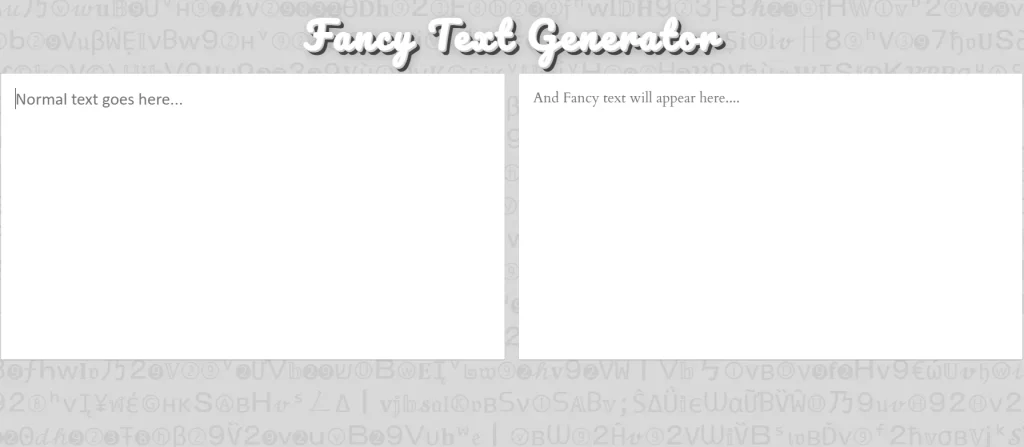
3. Namecheap Font Generator
You’ve probably heard of Namecheap for domains or websites.
But it also has a fancy font generator.
And this one is worth looking at if you prefer a smaller set of familiar styles instead of scrolling through hundreds or thousands of options.
What does it offer?
Namecheap’s fancy font generator currently describes a selection of 16 font-style options.
These include styles such as:
- Gothic and blackletter.
- Script and cursive.
- Circled letters.
- Double-struck characters.
- Monospace styles.
- Bold Unicode text.
It also shows previews as you enter your text.
So if you’re trying to find a simple bold or cursive version of your name, you can see the result without searching through a massive collection.
What we like about it
The more limited selection can actually be useful.
Sometimes you don’t want hundreds of options. You just want a decent bold, cursive or Gothic style and you’re done.
What should you consider?
If you’re looking for a huge collection of unusual combinations, decorative symbols or niche gaming styles, a smaller set of predefined styles may feel limiting.
Best for: People who want a small, easy-to-understand selection of common Unicode text styles.
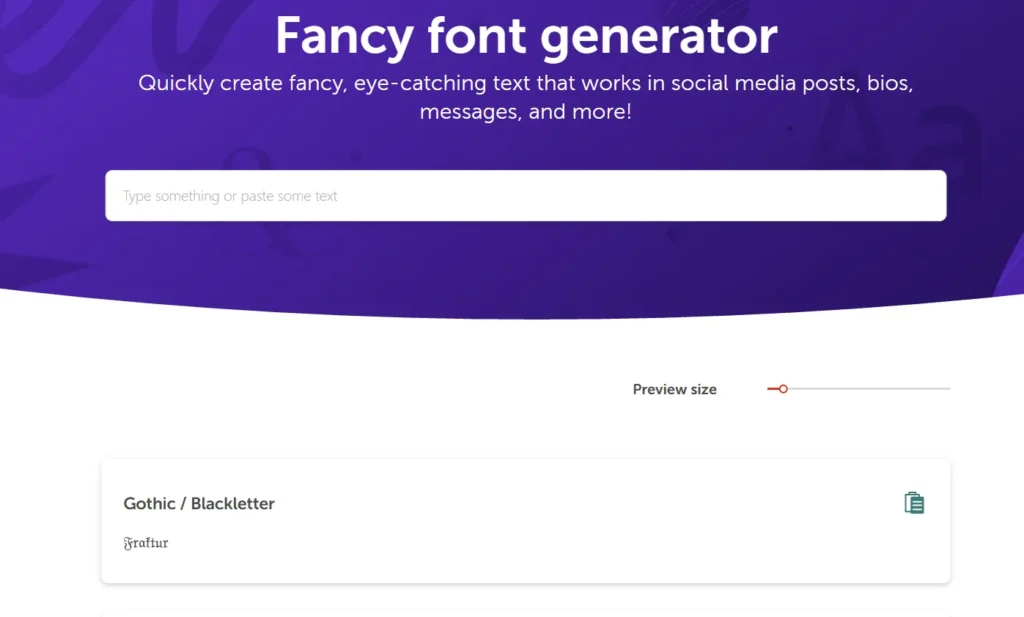
4. Fancy Text Pro
If you’re someone who doesn’t want to stop at normal bold or cursive text, Fancy Text Pro is worth checking out.
Sometimes you want something a little extra.
Maybe your gaming username needs a weird-looking style. Maybe you want a cute Instagram name. Or maybe you’re just playing around with different characters to see what looks cool.
That’s where Fancy Text Pro gets interesting.
What does Fancy Text Pro offer?
The website has a main fancy text generator along with several more specific text tools.
Its publicly listed options include:
- Fancy text with one-click copying.
- Bold, cursive and bubble text generators.
- Mirror text.
- Big text and text decoration tools.
- Emoticons and special character styles.
- Instagram-focused fancy fonts.
- Zalgo-style text effects.
To use the main generator, type your text into the input field. The tool displays different styles, and you can click or tap a result to copy it.
What we like about it
The variety of specialised tools is interesting.
Instead of just choosing between regular bold and cursive characters, you can explore different effects.
For example, if you want something unusual for a gaming name, you can try a different type of generator without leaving the website.
What should you consider?
Having several separate generators means you may need to explore different sections to find the exact effect you want.
And just because a style looks cool doesn’t mean every social media app or game will display it the same way.
Some Unicode characters can look different depending on the device or platform.
So I’d still recommend testing the text wherever you plan to use it.
Best for: People who enjoy experimenting with decorative fonts, special characters and unusual text effects.
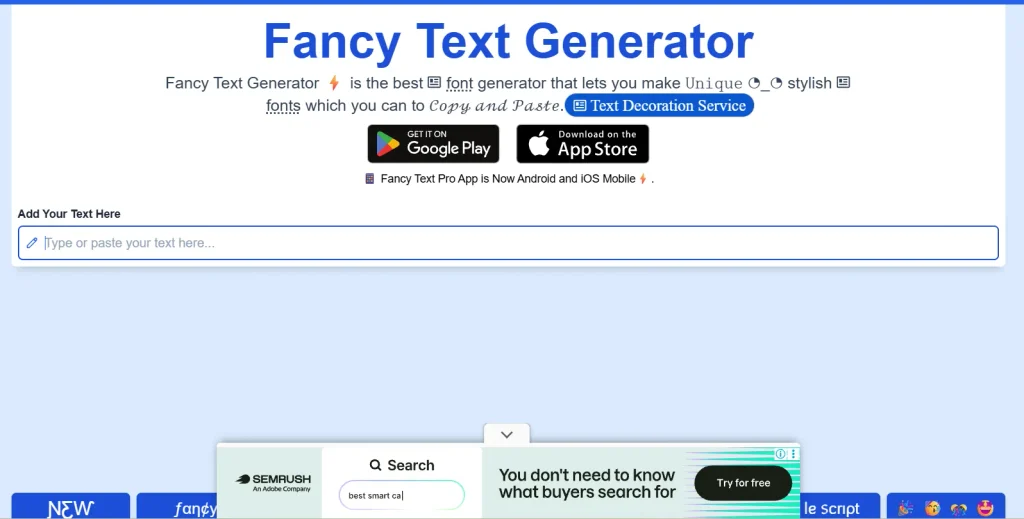
5. FancyTexty
FancyTexty is another option if you want more than just a basic fancy font generator.
You know when you start by trying to make your name look different, and five minutes later you’re adding stars, hearts, emoji combinations and random decorative characters?
Yeah, this kind of website is made for that.
FancyTexty has a main fancy text generator along with other tools for different types of characters and text effects.
What does FancyTexty offer?
The website includes tools and categories for:
- Fancy Unicode text styles.
- Bold, italic, cursive and Gothic text.
- Copy-and-paste symbols.
- Text decorations.
- Emoji combinations.
- ASCII art and text-based designs.
- Different Unicode text transformations.
Its fancy text generator displays multiple style previews, with copy options for generated text.
The website also describes support for mobile devices and says its main features can be used without creating an account.
What we like about it
The biggest attraction is that you can explore more than one type of text decoration.
For example, imagine you want your Instagram bio to say:
Dream Big
You could change it into:
𝓓𝓻𝓮𝓪𝓶 𝓑𝓲𝓰
Then add some decoration:
✦ 𝓓𝓻𝓮𝓪𝓶 𝓑𝓲𝓰 ♡
Or you could explore emoji combinations and other creative text options.
Having different tools in one place can be useful when you aren’t exactly sure how you want your final text to look.
What should you consider?
With several different tools and categories available, it may take a little exploring to find the one you actually need.
Also, not every Unicode style or symbol will necessarily work in every app.
A character that looks perfect on the generator might appear differently after you paste it into a game or social media profile.
So, as with any fancy text generator, check the result before saving it.
Best for: People who want to experiment with fancy text, symbols, emoji combinations and other decorative text tools.
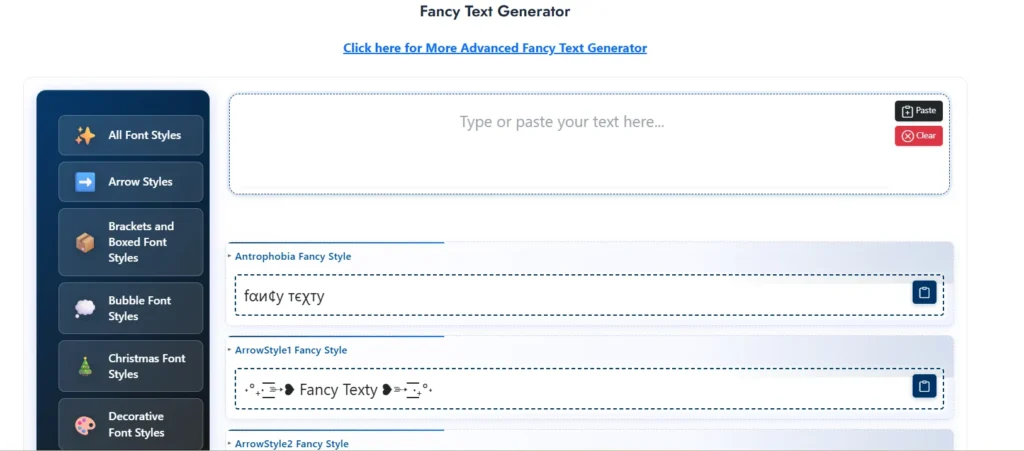
Which Fancy Text Generator Should You Choose?
You don’t need to use the same generator as everyone else.
The best option depends on what you’re trying to create.
| Your goal | Tool worth trying |
|---|---|
| Explore lots of different styles | Best Fancy Text Generators |
| Quickly transform normal text | LingoJam |
| Find a common bold, cursive or Gothic style | Namecheap |
| Browse hundreds of styles and decorations | Fancy Text Pro |
| Explore decorative typography tools | Fancy texty |
These are recommendations based on the features described and visible on the websites, not measured winners from a completed five-way usability test.
And there’s nothing wrong with trying more than one.
You might like the cursive styles from one generator and the decorative options from another.
That’s kind of the fun part.
How to Check Which Generator Works Best for You
Here’s a simple way to compare tools without getting distracted by giant style counts.
Use the same text in each generator.
For example:
Dream Big 2026
Then ask yourself:
- Can I enter my text easily?
- Are the results different enough to be useful?
- Can I find the kind of style I want?
- Can I copy the text without unnecessary steps?
- Does it look right when I paste it into the app I actually use?
- Is it still easy to read?
The last question matters more than people think.
A generator could give you a style that looks amazing on its website, but if it becomes unreadable on your profile, there’s not much point using it.
A quick example
Start with:
Dream Big 2026
Try a bold style:
𝐃𝐫𝐞𝐚𝐦 𝐁𝐢𝐠 𝟐𝟎𝟐𝟔
Or cursive:
𝓓𝓻𝓮𝓪𝓶 𝓑𝓲𝓰 𝟐𝟎𝟐𝟔
Or something simpler:
★ Dream Big 2026 ★
Which one is best?
That depends on where you’re using it and which one you actually like.
Why We Think More Styles Aren’t Always Better
This is probably the biggest thing we learned while building our own generator.
Originally, our problem was that many websites seemed to offer the same few styles.
So naturally, we wanted more options.
We researched existing generators, looked for missing variations and filtered out styles that didn’t work properly.
Eventually, our collection grew beyond 2,000 styles.
Which sounds great.
But then we had a new problem.
How is someone supposed to find one good style when there are thousands sitting in front of them?
Imagine you’re just trying to make your Instagram name look cute.
You don’t want to spend twenty minutes scrolling past gaming fonts, Gothic characters and strange decorative combinations.
You want to find something you like and get back to your profile.
That’s why we added categories, search and previews.
And it changed how we thought about the whole project.
More choices are helpful only when you can actually find the right one.
That’s the experience we wanted when we first searched Google for a fancy text generator.
Why Some Fancy Text Styles Don’t Work Everywhere
One thing to know before using any of these generators: fancy text isn’t always a normal font change.
Many styles use different Unicode characters.
For example:
Normal: Hello
Fancy: 𝓗𝓮𝓵𝓵𝓸
Those fancy-looking letters have their own Unicode identities.
This is why you can often copy them into Instagram, WhatsApp, Discord or other apps without installing a font.
But it also means different platforms may display them differently.
Some characters might appear as boxes if the required font support isn’t available.
Some games may reject special characters in usernames.
And heavily stylised letters can make text harder to search, read or understand with screen readers.
So even if a style looks perfect inside a generator, always check it in the place where you want to use it.
For more technical information, you can explore the Unicode Consortium.
Frequently Asked Questions About Fancy Text Generators
Which is the best fancy text generator in 2026?
There isn’t one independently verified winner for every user.
Best Fancy Text Generators offers a large collection with categories and search. LingoJam is an option for simple conversion, Namecheap offers a smaller selection of common styles, and so on.
The best one depends on whether you care most about simplicity, variety or finding a specific style. But what we have found after analysing all the sites is that they were 90% similar in all features.
There’s no differentiation as such when you use those sites all sites were identitcal.
Are fancy text generators free?
Many popular browser-based fancy text generators are free to use.
For example, Best Fancy Text Generators and TextTrick currently advertise free text generation.
Check each website for any changes to pricing or features.
Do fancy text generators install fonts on your phone?
Usually not.
Most copy-and-paste fancy text generators replace ordinary letters with different Unicode characters rather than installing font files.
Can I use fancy text on Instagram?
Yes, in supported text fields such as bios and display names.
However, some fancy Unicode letters may not behave like ordinary letters in search, and some styles can be difficult to read.
Can I make a gaming username using fancy text?
Yes, provided the game accepts the characters you’ve chosen.
Some games restrict special characters, so test the name before saving it.
Why do different generators show similar styles?
Many generators use overlapping sets of Unicode characters.
For example, mathematical bold, script and double-struck letters come from established Unicode character ranges.
That’s why similar styles can appear on several websites.
Different tools may distinguish themselves through additional combinations, decorations, categories or user experience.
Does having more styles mean a generator is better?
Not necessarily.
A large collection gives you more options, but finding usable, readable styles matters too.
Search, previews, categories and easy copying can be just as useful as the total style count.
Can I use fancy text on my phone?
Yes.
Browser-based generators can be accessed on mobile, and you can copy the generated text into supported apps.
The exact experience depends on the website and your device.
Final Thoughts: Which Fancy Text Generator Is Worth Trying?
There are plenty of fancy text generators online, and several of them can help you make your text look different.
If you want a small collection of common styles, Namecheap might be enough.
If you want a quick Unicode converter, LingoJam is worth a look.
And if you’re looking for a larger collection with categories, ease of use, search and previews, that’s what we built Best Fancy Text Generators around.
But whichever tool you use, I’d recommend one thing:
Don’t choose a style just because it’s the fanciest option on the page.
Choose something that looks good, works where you want to paste it, and still feels like you.
Because that’s how our whole project started.
We weren’t trying to make a complicated tool.
We just wanted our names to look a little different.
And after researching thousands of styles, we learned that the best experience isn’t about showing someone the biggest list possible.
It’s about helping them find something they actually like.
You type your name, find a style, copy it and think:
“Okay, this actually looks cool.”
That’s the part that matters.
Related Articles:
- Online Fancy Text Generator vs Mobile Apps – Which to Use?
- Fancy Text Generator vs Font Generator – What’s the Difference?
- Fancy Text Generator vs Unicode Converter – Which is Better

Ankit Thakur is an SEO Specialist and WordPress Developer with 4+ years of experience. He has generated ₹60L+ in revenue through SEO, built 50+ websites, and helped businesses generate measurable leads through organic search and local SEO.